AI Agents and WordPress: What MCP Means for Your Business
Most business owners have already experimented with AI tools such as ChatGPT or Claude to write content, answer questions or generate ideas.
The next development is much more powerful.
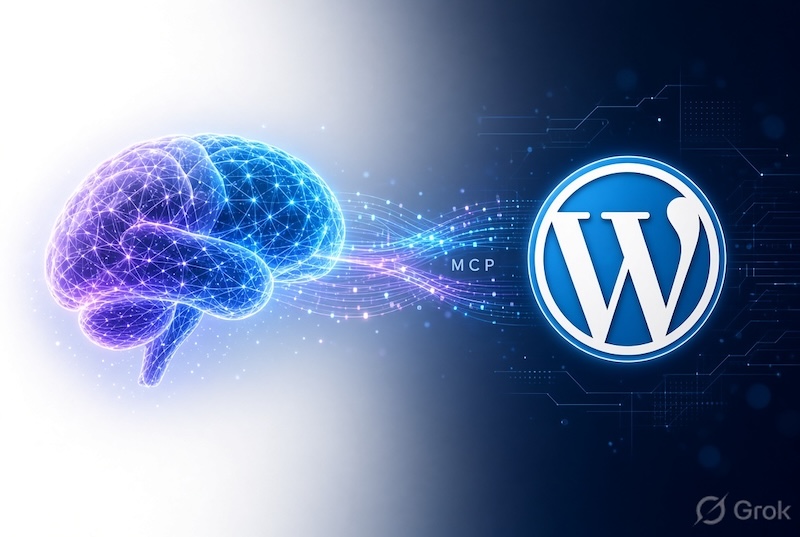
Instead of simply giving you information that you must manually copy into your website, an AI assistant can now be connected directly to WordPress. This can allow it to complete approved tasks within your website.
The technology helping make this possible is called MCP, or Model Context Protocol.
What Is MCP?
MCP is an open standard that allows AI applications to communicate with external systems, tools and information sources.
It is sometimes described as a universal connection or USB port for AI. Rather than creating a completely different integration for every AI platform, MCP gives compatible systems a standard way to communicate.
When MCP is connected to WordPress, an AI assistant may be able to discover which actions are available on your website and carry out approved tasks using normal written instructions.
For example, you may be able to ask:
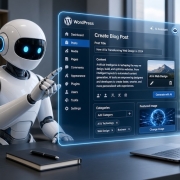
Create a draft article about our latest service, add suitable headings and save it for review.
Instead of only producing the article in a chat window, the AI agent could create the draft directly inside WordPress.
What Can an AI Agent Do in WordPress?
Depending on your WordPress setup, plugins and security permissions, an AI agent may be able to:
- Create and update draft articles.
- Add categories and tags.
- Upload images and add alternative text.
- Review website content.
- Find pages missing important information.
- Check active plugins and selected website settings.
- Assist with SEO descriptions.
- Create forms through compatible form plugins.
- Manage selected WooCommerce products and orders.
- Perform routine website administration tasks.
The exact capabilities depend on the website, the connected AI service and the permissions assigned to its WordPress user.
How Is This Different From Using ChatGPT Normally?
A standard AI conversation takes place separately from your website.
You might ask AI to write an article, then manually:
- Copy the article.
- Log into WordPress.
- Create a new post.
- Format the headings.
- Add categories and tags.
- Upload an image.
- Enter the SEO information.
- Save or publish the article.
With an approved MCP connection, an AI agent may be able to complete several of those steps for you.
You should still review important content and changes, but the amount of repetitive administration can be significantly reduced.
What About WooCommerce?
WooCommerce integrations can allow authorised AI tools to interact with selected store functions.
Depending on the setup, an AI agent may be able to search products, create draft products, update product information, review orders, add internal notes and assist with approved order-status changes.
This could make routine store management easier, particularly for businesses with large product catalogues or regular product updates. However, pricing, refunds, stock changes and other important decisions should remain under human control.
Does This Mean AI Should Control Your Entire Website?
No.
AI agents should be treated like a new staff member or contractor. They should only receive access to the areas needed for their work.
A sensible setup should include:
- A separate WordPress user account.
- Limited user permissions.
- Secure HTTPS encryption.
- Regular website backups.
- Human approval before important changes are published.
- A clear list of tasks the AI is allowed to perform.
Start with safe tasks such as reviewing information, preparing drafts and identifying possible improvements. More advanced capabilities can be introduced once the process has been properly tested.
The Future of WordPress Website Management
MCP is an important step towards websites that can work more directly with AI.
It does not replace good website development, business strategy, security or human judgement. However, it can reduce repetitive administration and make it easier to manage website content, online stores and marketing activities.
Businesses that prepare their websites now will be in a better position to benefit as WordPress plugins and AI platforms continue adding new capabilities.
Continue the AI and WordPress Series
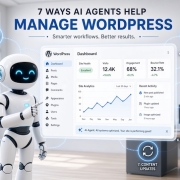
- 7 Ways AI Agents Can Help Manage a WordPress Website
- Is It Safe to Connect AI to WordPress? An MCP Security Checklist
- Is Your WordPress Website Ready for AI Agents?
Is Your Website Ready for AI?
Find Net Solutions has been helping Australian businesses with professional website design, WordPress development, eCommerce, SEO, AI SEO and ongoing website support since the 1990s.
We can review your website, identify practical AI opportunities and help ensure your WordPress setup remains secure, efficient and easy to manage.
View our website and digital marketing services and discuss an AI-ready website strategy.